Downloads that manage themselves
Automatically swapping watched episodes for the next ones, with no interface for members to learn.
In brief
- The problem
- Members managed downloads manually by deleting episodes they'd watched and downloading more, and often forgot to download new ones before leaving the house.
- What changed
- Smart Downloads launched on by default. Streaming increased, and so did how often members returned to the app.
- My part
- I worked with one other designer on the concepts for turning the feature on and controlling it, and I built the prototypes we used in research to test whether members could find and understand it.
Keep reading for the full story, or skip to the next case study, Putting downloads in plain sight →
The full story
After we launched Netflix Downloads, we looked at how people used it, especially in regions where most viewing was offline.
Research showed a clear routine. Most people planned ahead, downloading the night before or the morning they left the house. Members in India and Japan downloaded a lot at once, sometimes several seasons. Elsewhere, people kept three or four episodes on their phones and deleted each one as soon as they’d watched it, to free up space. Kids’ shows were the exception, since children watch the same episodes again and again. People said they’d welcome help with the work of downloading as long as they kept control, and limited storage made them wary of anything that might fill up their phones.
That routine worked, but it took effort, and the most common frustration was forgetting to download new episodes before leaving the house. You’d settle in for your commute, open Netflix, and realize you’d watched everything you had saved.
So we asked whether the app could handle this for members, by deleting episodes they’d finished and downloading the next ones automatically. I worked on it with one other designer, and I built the prototypes.
We explored many ways to take the work out of downloading
We brainstormed a wide range of ideas: download bundles based on how much time you had, like two hours of history or six hours of comedy; a row of titles you could download; suggested downloads in the Downloads tab; settings to schedule downloads or cap how much storage they used; and downloads that managed themselves. We took the simplest ideas, bundles and suggested downloads, to a quick round of research first, and saved downloads that managed themselves for a later round.
The hypothesis
We believed that automatically deleting finished episodes and downloading the next ones would reduce the friction of offline viewing enough to meaningfully increase how much people watched. In research, the hard part turned out to be explaining it.
Designing something people could understand
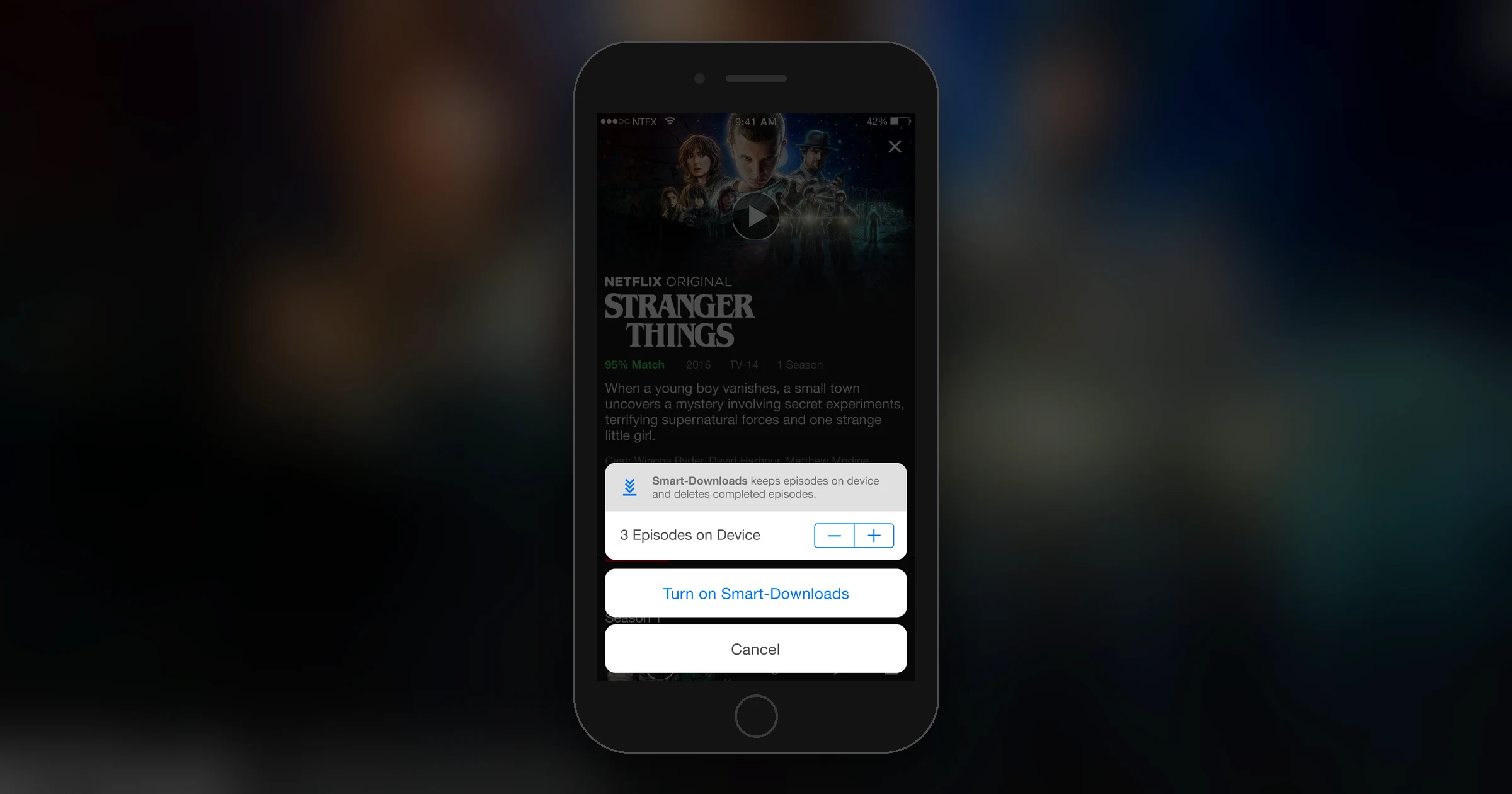
We explored a range of ways to surface the feature and communicate how it worked. Early concepts added a dedicated icon on the series page that opened a dialog. The dialogs ranged from simple on/off toggles to more detailed controls letting members choose how many episodes to keep on their device at once.
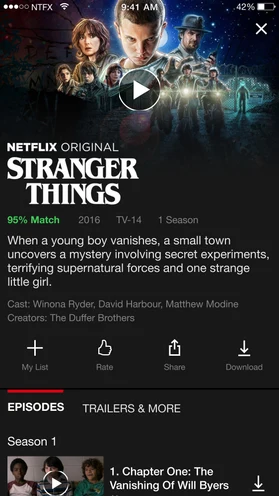
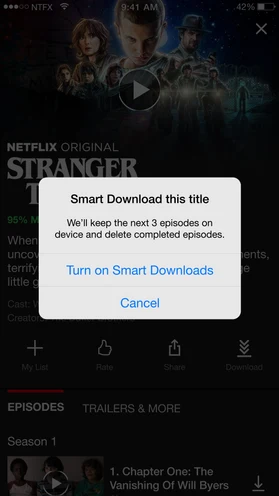
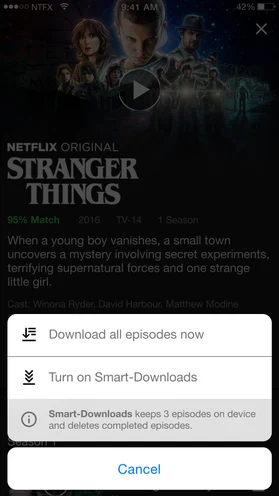
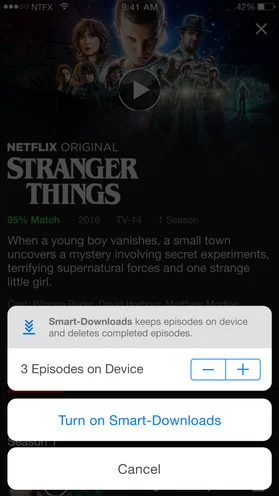
However we explained Smart Downloads in the interface, people in research struggled to understand it. Every explanation we tried seemed to need another explanation.
So we stopped asking members to set it up. Smart Downloads would be on by default, with nothing to configure.
Why turning it on by default was safe
Turning a feature on for everyone needed care, and two things made it safe:
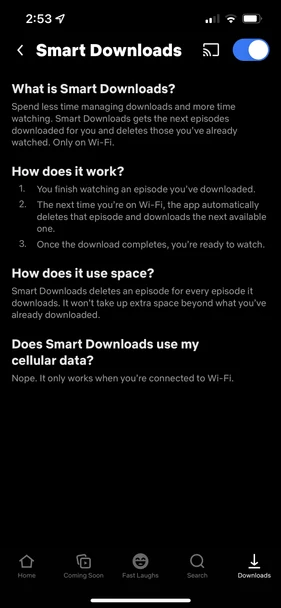
First, if a member never used downloads, Smart Downloads would never do anything, because it only works when there are downloads to manage. Second, the feature would only ever use space a member had already allocated to downloaded content by only replacing watched episodes rather than consuming new storage. We also built in rules to prevent the feature from ever taking up more space than it should.
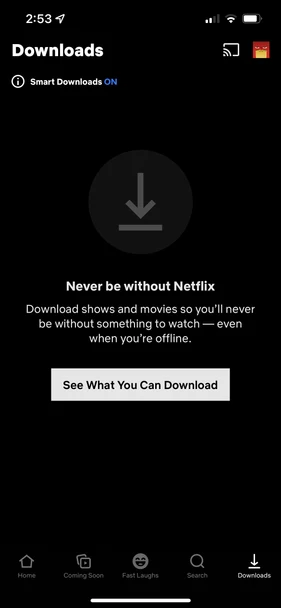
With those guardrails in place, the default-on approach meant most members would simply experience the benefit without ever needing to understand the mechanism. For members who wanted explicit control, a clear opt-out lived in the Downloads tab.
The prototypes tested whether people understood the feature
Most prototypes refine an interaction or a visual design. These tested whether members could find the feature and understand it. Across rounds of research, they couldn’t, and that kept pointing us toward removing the decision.
The outcome
Smart Downloads launched on by default and managed episodes in the background. Streaming increased, and so did how often members returned to the app and watched downloaded content.
This project taught me that when people can’t understand a setting, a safe default can be better than a clearer explanation.